 Start Earning
What Is WooCommerce Conversion Rate?
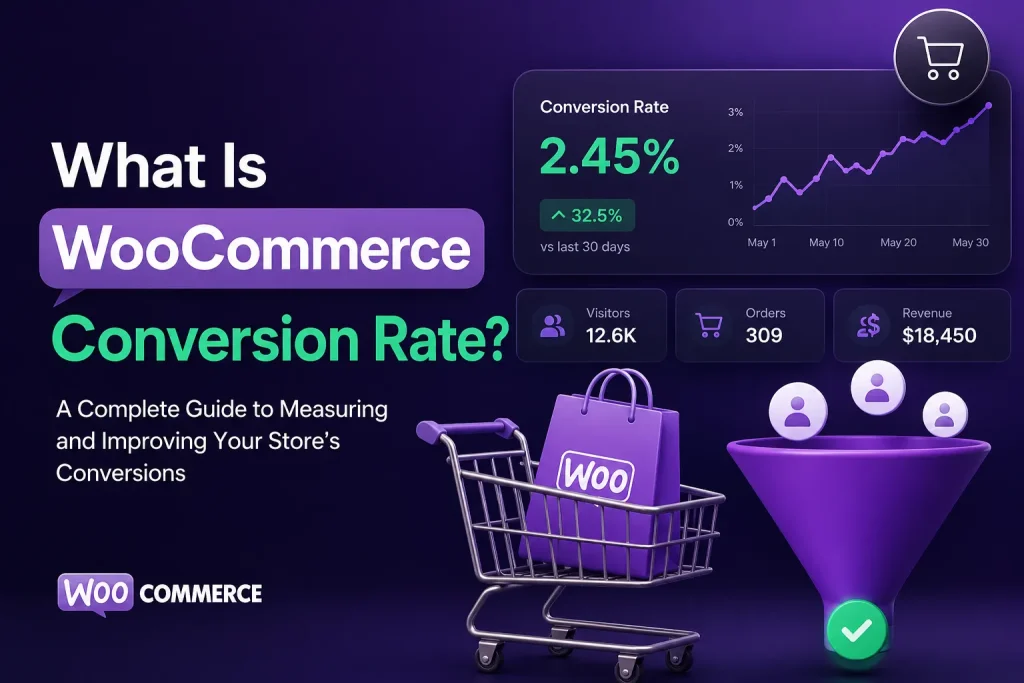
What Is WooCommerce Conversion Rate? A Complete Guide to Measuring and Improving Your Store’s Conversions
If you run a WooCommerce store, one number can tell you a lot about how effectively your website turns visitors into customers: your WooCommerce conversion rate.
You can have thousands of visitors every month, rank well on Google, run successful advertising campaigns, and still struggle to generate enough sales.
Why?
Because traffic alone does not create revenue.
Your store also needs to convince visitors to take the next step — browse products, add items to their cart, complete checkout, and ultimately become customers.
That is where WooCommerce conversion rate becomes one of the most important ecommerce metrics to understand.
In this guide, we’ll explain what WooCommerce conversion rate means, how to calculate it, what a good conversion rate looks like, why conversion rates change, and most importantly, how you can improve your WooCommerce store’s conversion rate without simply spending more money on traffic.
What Is WooCommerce Conversion Rate?
WooCommerce conversion rate is the percentage of website visitors who complete a desired purchase action, usually placing an order.
The basic formula is:
WooCommerce Conversion Rate = (Number of Orders ÷ Number of Visitors) × 100
For example, imagine your WooCommerce store receives:
- 10,000 visitors
- 200 completed orders
Your conversion rate would be:
(200 ÷ 10,000) × 100 = 2%
So, your WooCommerce conversion rate is 2%.
This metric tells you how effectively your store converts website traffic into paying customers.
However, there is an important distinction:
A conversion rate is not just a number to increase. It is a signal that helps you understand how well your entire buying journey is working.
A low conversion rate can indicate problems with your product pages, pricing, trust signals, website experience, checkout process, mobile usability, traffic quality, or offer.
That is why conversion optimization should look at the entire customer journey rather than focusing on one button or one page.
Why Does WooCommerce Conversion Rate Matter?
Imagine two WooCommerce stores.
Store A
- 50,000 monthly visitors
- 1% conversion rate
- $70 average order value
That produces approximately:
500 orders × $70 = $35,000
Store B
- 50,000 monthly visitors
- 2% conversion rate
- $70 average order value
That produces:
1,000 orders × $70 = $70,000
The second store generates twice as many orders without increasing traffic.
This is why improving conversion can be one of the most powerful ways to increase WooCommerce revenue.
Instead of always asking:
“How can I get more visitors?”
A better question is:
“How can I get more value from the visitors I already have?”
This is the philosophy behind conversion rate optimization.
How Do You Calculate WooCommerce Conversion Rate?
The calculation itself is simple.
Conversion Rate Formula
Conversion Rate = Orders ÷ Visitors × 100
For example:
If you have 5,000 visitors and receive 100 orders:
100 ÷ 5,000 × 100 = 2%
Your conversion rate is therefore 2%.
But there is an important issue with this calculation.
Which Visitors Should You Count?
The answer depends on what you are measuring.
You may calculate conversion based on:
- Total website sessions
- Unique visitors
- Users
- Landing-page visitors
- Product-page visitors
- Specific traffic sources
- Specific devices
- Specific countries
- New visitors
- Returning customers
For strategic decision-making, it is often more useful to segment your conversion rate rather than looking at one overall number.
For example:
| Segment | Visitors | Orders | Conversion Rate |
|---|---|---|---|
| Organic Traffic | 10,000 | 300 | 3% |
| Paid Traffic | 8,000 | 120 | 1.5% |
| Direct Traffic | 4,000 | 180 | 4.5% |
| Mobile | 15,000 | 225 | 1.5% |
| Desktop | 7,000 | 375 | 5.4% |
This immediately tells you much more than a single store-wide conversion rate.
You may discover that your problem is not “low conversion.”
Your problem might actually be low mobile conversion, poor paid traffic quality, or checkout friction.
What Is a Good WooCommerce Conversion Rate?
There is no universal WooCommerce conversion rate that every store should target.
A “good” conversion rate depends on factors such as:
- Product category
- Product price
- Brand recognition
- Traffic source
- Customer intent
- Geographic market
- Device
- Sales funnel
- Seasonality
- Offer quality
- Website experience
- Checkout experience
A store selling a low-cost product to highly targeted search traffic may naturally convert at a different rate than a store selling expensive products to cold social media traffic.
So instead of asking:
“Is 2% a good WooCommerce conversion rate?”
A better question is:
“Is my conversion rate improving, and where are customers dropping out of my funnel?”
Your own historical data is often one of the most useful benchmarks.
If your store increases from 1.5% to 2.2%, that improvement can be commercially significant even if another store has a completely different conversion rate.
What Factors Affect WooCommerce Conversion Rate?
Your conversion rate is influenced by almost every part of the customer journey.
Here are some of the most important factors.
1. Product Page Quality
Your product page has to answer the questions customers have before they are willing to buy.
A strong product page should communicate:
- What the product is
- Who it is for
- What problem it solves
- Why it is better or different
- How much it costs
- What customers receive
- Shipping information
- Returns and guarantees
- Reviews and social proof
- A clear call to action
If visitors cannot quickly understand the value of your product, they may leave before adding it to their cart.
This is why product page optimization should be one of the first areas you investigate when conversion rates are low.
People are naturally cautious when purchasing online.
They may ask:
- Is this store legitimate?
- Will I receive the product?
- Is the quality good?
- What happens if something goes wrong?
- Can I return it?
- Are other customers happy?
Reviews, testimonials, guarantees, clear policies, secure payment options, transparent shipping information and recognizable trust signals can reduce uncertainty.
The goal is not to overwhelm customers with badges.
The goal is to remove legitimate reasons for hesitation.
3. Checkout Friction
A customer can be ready to buy and still abandon the purchase because checkout is difficult.
Common problems include:
- Too many fields
- Complicated checkout steps
- Unexpected shipping costs
- Unclear payment options
- Forced account creation
- Poor mobile usability
- Confusing error messages
- Slow checkout pages
This is one reason cart and checkout optimization deserves special attention in WooCommerce.
The closer the customer gets to payment, the more expensive friction can become.
4. Mobile Experience
A large percentage of ecommerce browsing happens on smartphones.
If your store looks good on desktop but feels slow, difficult or confusing on mobile, your conversion rate can suffer.
Check:
- Navigation
- Product images
- Product variations
- Add-to-cart buttons
- Cart experience
- Checkout forms
- Payment experience
- Page speed
- Sticky elements
- Popups
- Text readability
Mobile optimization should not mean simply making the desktop website smaller.
The mobile shopping journey should be designed around how people actually browse and buy on smaller screens.
For stores where mobile commerce is a major growth opportunity, a Progressive Web App can also provide a more app-like shopping experience.
WooCommerce Conversion Rate vs. Add-to-Cart Rate
These metrics are related, but they are not the same.
Conversion Rate
Measures visitors who ultimately complete a purchase.
Add-to-Cart Rate
Measures visitors who add at least one product to their cart.
Imagine this funnel:
10,000 Visitors
↓
2,000 Product Views
↓
500 Add to Cart
↓
300 Checkout Started
↓
200 Orders
This gives you multiple conversion points to analyze.
If many people view products but very few add them to the cart, the problem may be related to:
- Product value proposition
- Pricing
- Product information
- Reviews
- Product images
- Offer
- CTA
If many people add products but do not complete checkout, the problem may be related to:
- Shipping
- Payment
- Checkout usability
- Unexpected costs
- Trust
- Technical problems
This is why looking only at the final conversion rate can hide the real problem.
How to Improve WooCommerce Conversion Rate
Improving conversion rate is not about randomly changing colors, buttons or headlines.
A better process is:
Measure → Find → Fix → Test → Scale
Start with your data.
Find the biggest revenue leak.
Make a focused improvement.
Measure what happens.
Then continue improving the next bottleneck.
Here are some of the most effective areas to investigate.
1. Improve Your Product Pages
Start with your highest-traffic and highest-value product pages.
Ask:
- Is the value proposition immediately clear?
- Are the benefits easy to understand?
- Are product images persuasive?
- Are reviews visible?
- Is pricing clear?
- Is the CTA obvious?
- Are shipping and returns easy to find?
- Are product variations simple to use?
- Are customer objections addressed?
Small improvements across high-traffic product pages can have a meaningful effect on revenue.
2. Make the Buying Journey Simpler
Every unnecessary step creates another opportunity for a customer to leave.
Look at the journey:
Landing Page → Product → Cart → Checkout → Payment → Order
At each step, ask:
“What could make the customer hesitate here?”
Then remove unnecessary friction.
Your goal should be to make the next step obvious.
3. Optimize Your Cart
The cart is more than a place where customers review products.
It can also become an important revenue opportunity.
Depending on your business, you can test:
- Relevant cross-sells
- Free shipping thresholds
- Product recommendations
- Quantity incentives
- Bundles
- Gifts
- Order upgrades
This is where conversion optimization can connect with Average Order Value (AOV) optimization.
You don’t necessarily need more customers.
Sometimes you need to help each customer make a better purchase.
4. Optimize Checkout
Your checkout should answer three questions quickly:
What am I buying?
How much will I pay?
How will I receive it?
Remove unnecessary distractions and make important information easy to understand.
Pay particular attention to mobile checkout.
A checkout that works technically can still perform poorly if it creates uncertainty or requires too much effort.
5. Strengthen Your Offer
Conversion isn’t only about UX.
Your offer matters.
You can test:
- Bundles
- Free gifts
- Quantity incentives
- Limited-time offers
- Free shipping thresholds
- Premium alternatives
- Complementary products
- Post-purchase offers
The objective should not be to discount everything.
Instead, create an offer that makes the purchase feel more valuable.
6. Improve Your Traffic Quality
A conversion problem is not always a website problem.
Imagine two traffic sources:
Traffic Source A: 10,000 visitors with 0.5% conversion
Traffic Source B: 5,000 visitors with 3% conversion
Traffic Source A generates more visitors, but Traffic Source B generates far more customers.
This is why traffic quality matters.
Analyze conversion by:
- Organic search
- Paid search
- Social media
- Referral
- Direct traffic
- Campaign
- Landing page
- Device
- Location
The goal is to understand which visitors are most likely to buy.
What Is the Relationship Between Conversion Rate and Revenue?
Conversion rate is only one part of the revenue equation.
A useful way to think about WooCommerce growth is:
Revenue = Traffic × Conversion Rate × Average Order Value × Customer Retention
For example, you could grow revenue by:
- Increasing qualified traffic
- Converting more visitors
- Increasing the value of each order
- Increasing repeat purchases
This is why conversion rate should not be optimized in isolation.
Suppose your store has:
- 20,000 monthly visitors
- 2% conversion rate
- $60 AOV
That means approximately:
400 orders × $60 = $24,000
Now imagine you improve conversion to 2.5%.
You would have:
500 orders × $60 = $30,000
That is $6,000 more monthly revenue without increasing traffic.
Now imagine you also increase AOV from $60 to $70.
The same 500 orders would produce:
$35,000
This is the power of treating WooCommerce as a complete revenue system rather than optimizing one metric at a time.
One of the biggest misconceptions about CRO is that it is primarily about changing design elements.
Button colors can matter.
Headlines can matter.
Layouts can matter.
But conversion optimization is much bigger than that.
Effective CRO can involve:
- Customer research
- Analytics
- Product page optimization
- Offer strategy
- Trust signals
- Cart optimization
- Checkout optimization
- Mobile UX
- Pricing presentation
- Merchandising
- Cross-sells
- Upsells
- A/B testing
- Funnel analysis
The real question is:
Why aren’t more qualified visitors buying?
Once you know the answer, the optimization strategy becomes much clearer.
Free WooCommerce Growth Audit
How to Find Your WooCommerce Conversion Rate Problems
Instead of changing everything at once, create a conversion funnel.
For example:
Visitors
↓
Product Discovery
↓
Product View
↓
Add to Cart
↓
Checkout
↓
Purchase
↓
Repeat Purchase
Then measure each stage.
You might discover:
Problem A
Large traffic → very few product views
Potential issue: navigation, search, merchandising or landing pages.
Problem B
Many product views → few add-to-carts
Potential issue: product page, price, offer or trust.
Problem C
Many add-to-carts → few checkouts
Potential issue: cart experience, unexpected costs or offer presentation.
Problem D
Many checkouts → few purchases
Potential issue: payment, checkout friction, technical problems or trust.
This approach is far more actionable than simply saying:
“Our conversion rate is low.”
WooCommerce Conversion Rate Optimization Checklist
Use this checklist when reviewing your store.
Product Pages
- Clear product value proposition
- Strong product imagery
- Easy-to-understand benefits
- Visible reviews
- Clear pricing
- Clear CTA
- Shipping information
- Returns information
- Trust signals
- Product recommendations
Cart
- Clear order summary
- No unnecessary distractions
- Relevant cross-sells
- Shipping information
- Incentives where appropriate
- Easy checkout CTA
Checkout
- Minimal unnecessary fields
- Mobile-friendly layout
- Multiple relevant payment methods
- No unexpected costs
- Clear shipping information
- Trust and reassurance
- Useful error messages
Mobile
- Fast loading
- Easy navigation
- Large enough CTAs
- Simple product selection
- Easy cart access
- Easy checkout
Analytics
- Overall conversion rate
- Conversion by traffic source
- Conversion by device
- Product-page performance
- Add-to-cart rate
- Checkout rate
- Cart abandonment
- Revenue per visitor
- Average order value
- Repeat purchase rate
Should You Focus on Traffic or Conversion Rate?
For many WooCommerce stores, the answer is:
Both — but in the right order.
If your store has poor conversion, sending substantially more traffic can simply send more people into the same leaky funnel.
Imagine pouring more water into a bucket with a large hole.
Increasing the water supply doesn’t solve the hole.
That is why many stores should first identify their largest conversion bottlenecks before aggressively increasing acquisition spending.
Once the store converts qualified traffic efficiently, additional traffic can become much more valuable.
Increase WooCommerce Sales
How Much Can a Small Conversion Improvement Matter?
Let’s take a simple example.
Suppose you have:
- 30,000 monthly visitors
- 1.5% conversion rate
- $80 AOV
You currently generate:
450 orders
and approximately:
$36,000 in monthly revenue
Now increase conversion from 1.5% to 2%.
You would generate:
600 orders
At the same $80 AOV:
$48,000 monthly revenue
That’s a difference of:
$12,000 per month
No additional visitors are required for this example.
Of course, actual results depend on your traffic quality, product, pricing, margins, customer behavior and implementation.
The lesson is not that every store can achieve a specific increase.
The lesson is that small percentage improvements can become large revenue improvements at scale.
Frequently Asked Questions
What is a WooCommerce conversion rate?
WooCommerce conversion rate is the percentage of visitors who complete a desired purchase action, typically placing an order.
The basic formula is:
Orders ÷ Visitors × 100
What is a good conversion rate for WooCommerce?
There is no single conversion rate that is considered good for every WooCommerce store.
Your benchmark depends on your product, price, traffic source, audience, market, device mix and customer journey.
More importantly, track your own trend and identify where visitors are dropping out of the funnel.
How can I increase my WooCommerce conversion rate?
Start by identifying the largest bottleneck in your buying journey.
Common areas include:
- Product pages
- Trust signals
- Offers
- Cart
- Checkout
- Mobile UX
- Site speed
- Traffic quality
Then prioritize improvements based on potential business impact.
Does increasing conversion rate increase revenue?
Usually, if traffic and order value remain constant, a higher conversion rate produces more orders and therefore more revenue.
For example, increasing conversion from 2% to 3% means that the same number of visitors generates 50% more orders, assuming the underlying measurement and traffic remain comparable.
Is conversion rate more important than traffic?
Neither metric should be viewed in isolation.
Traffic creates opportunities.
Conversion turns those opportunities into customers.
A store with excellent traffic but poor conversion can waste acquisition spending, while a highly optimized store with insufficient traffic may not have enough opportunities to grow.
The strongest strategy is to improve the entire revenue system.
Final Takeaway
WooCommerce conversion rate measures how effectively your store turns visitors into customers.
But the metric itself is only the beginning.
If your conversion rate is lower than you want, don’t immediately assume you need more traffic.
Look at the entire journey:
Traffic → Product Discovery → Product Page → Cart → Checkout → Purchase → Repeat Purchase
Find where customers hesitate.
Find where they abandon.
Find what prevents them from buying.
Then improve the highest-impact problem first.
That is what effective WooCommerce Conversion Rate Optimization is really about.
At UP-Woo, we approach WooCommerce growth as a complete revenue system — combining conversion optimization, AOV growth, repeat sales, automation, mobile experience and measurable growth opportunities rather than treating each metric separately.
If you’re unsure where your WooCommerce store is losing potential revenue, start with a structured store analysis and identify the biggest opportunities before making random changes.