 Start Earning
WooCommerce Security: Simple Guide to Protect Your Store from Hackers & Bots
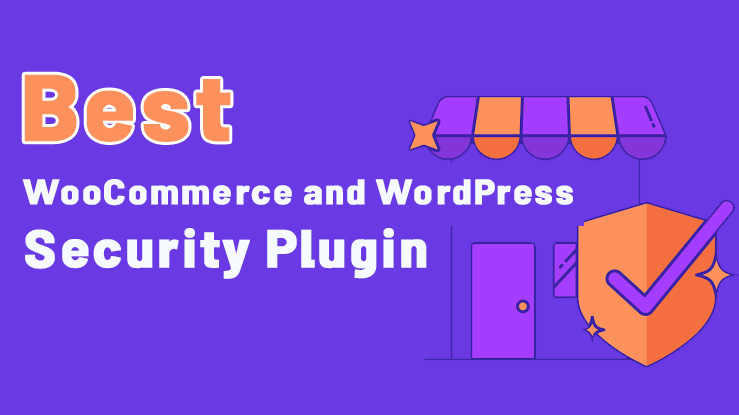
WooCommerce Security: A Simple Guide to Protect Your Store from Hackers, Bots, and DDoS Attacks
Your WooCommerce store is more than just a website. It holds customer accounts, orders, payment details, inventory, and sensitive business data. If your store goes down or a hacker breaks in, the damage goes far beyond a temporary glitch.
You could lose sales, damage customer trust, expose private information, and face expensive recovery costs.
The tricky part? Not every attack looks like a obvious hack. Some bots quietly hammer your login page, scan for weak spots, submit spam, abuse product filters, or send so much traffic that your server runs out of resources.
Real WooCommerce security needs multiple layers of protection—not just a strong password or a single CAPTCHA.
In this guide, you’ll learn how to secure your WooCommerce store, spot common threats, reduce malicious traffic, and pick the right security tools.
If you want an all-in-one security solution, check out Anti-DDoS Honeypot Pro for WordPress and WooCommerce.
What Is WooCommerce Security?
WooCommerce security means protecting your online store, its WordPress installation, customer data, admin accounts, and checkout process from unauthorized access and malicious activity.
A complete security strategy can include:
-
Web application firewall (WAF) protection
-
DDoS and excessive-request mitigation
-
Brute-force login protection
-
Malicious bot detection
-
Honeypot fields and CAPTCHA challenges
-
Rate limiting for sensitive endpoints
-
REST API and XML-RPC access controls
-
IP reputation and geographic filtering
-
Server-level blocking and security monitoring
-
Secure backups, updates, and file permissions
WooCommerce runs on WordPress, so your store’s security depends on the whole WordPress setup—hosting, themes, plugins, and configuration. The official WooCommerce security guidance also stresses updates, secure development, access control, and protecting customer data.
Why WooCommerce Security Matters
When your store’s security is weak, these things can happen:
-
Sales stop because your site is down.
-
Customer data gets leaked.
-
Orders or store settings get changed.
-
Your server slows down or crashes from malicious traffic.
-
Your brand reputation and customer trust take a hit.
-
Recovery and re-securing costs add up.
WooCommerce security isn’t just about stopping hackers. It’s about keeping sales flowing, your site fast, and your customers confident.
6 Common Security Threats Facing WooCommerce Stores
1. DDoS and Layer 7 Attacks
A DDoS attack floods your site with traffic to knock it offline. At the application layer (Layer 7), attackers target pages that require heavy processing.
For a WooCommerce store, repeated requests to search pages, product filters, APIs, or other dynamic features can drain CPU, PHP workers, and database resources.
How to reduce the risk:
-
Apply rate limits to frequently targeted endpoints.
-
Detect abnormal request patterns.
-
Challenge suspicious visitors when needed.
-
Block confirmed malicious sources.
-
Use a CDN or network-level DDoS protection for large floods.
A WordPress plugin can help with application-layer detection and blocking, but it can’t replace upstream network protection when an attack saturates your hosting connection.
2. Brute-Force and Credential-Stuffing Attacks
Brute-force attacks repeatedly guess passwords. Credential stuffing uses usernames and passwords leaked in other data breaches.
Common targets include:
-
/wp-login.php -
Customer login forms
-
Registration forms
-
Password-reset endpoints
-
XML-RPC authentication
Recommended defenses: strong unique passwords, multi-factor authentication for admins, login rate limits, and extra challenges for suspicious activity.
A security plugin can add monitoring and automated responses without you having to manually check every failed login.
3. Malicious Bots and Automated Abuse
Not all bots are bad. Search engines and legitimate services need to access public pages. The goal is to separate useful automated traffic from suspicious behavior.
Malicious bots may:
-
Scan URLs for vulnerable software.
-
Submit automated spam comments.
-
Scrape product information excessively.
-
Generate tons of search requests.
-
Probe public APIs.
-
Trigger expensive filtering operations.
Useful defenses: honeypots, behavioral analysis, request limits, and carefully configured blocking rules.
4. SQL Injection and Cross-Site Scripting (XSS)
SQL injection tries to manipulate database queries through improperly handled input. Cross-site scripting injects executable scripts into pages viewed by other users.
A Web Application Firewall can identify and block many recognizable malicious request patterns. But a WAF is not a substitute for secure plugin development, correct input validation, output escaping, authorization checks, and prepared database queries.
Keep WordPress, WooCommerce, themes, and plugins updated, and remove extensions you no longer use.
5. XML-RPC and REST API Abuse
WordPress exposes interfaces that support legitimate integrations and apps. Attackers may also target these interfaces for automated login attempts, user enumeration, or excessive requests.
The right approach isn’t necessarily to disable every API. Some stores rely on mobile apps, integrations, automation, and external services.
Instead, review which endpoints your store needs, restrict unnecessary public access, and apply appropriate rate limits and authorization rules.
6. Spam Comments and Automated Form Submissions
Automated comments and form submissions can clutter your database, waste moderation time, and hurt the quality of user-generated content.
A honeypot places a field where ordinary visitors shouldn’t interact with it. If an automated submission fills that field, the server can treat the submission as suspicious.
Honeypots work best alongside server-side validation, rate limiting, and other anti-spam controls. They shouldn’t be your only line of defense.
7. WooCommerce Carding Attacks
A carding attack is when attackers use stolen credit card numbers to test which ones are still valid. They often do this by making many small purchases or repeated checkout attempts. If a card works, they may use it for larger fraudulent purchases.
For WooCommerce stores, carding attacks can lead to:
-
Chargebacks and fraud penalties
-
Payment gateway restrictions
-
Loss of customer trust
-
Server resource strain from automated checkout attempts
How to reduce the risk:
-
Limit repeated checkout attempts from the same IP or session
-
Log failed payment events to spot card-testing patterns
-
Automatically block users who hit a defined failed-attempt threshold
-
Never store or log card numbers or CVV codes
8. Payment Skimmer Scripts
Payment skimmers (also called Magecart attacks) inject malicious JavaScript into checkout pages to steal payment card data as customers type it. These scripts often come from compromised third-party services or unauthorized script injections.
How to reduce the risk:
-
Monitor third-party script origins on your checkout page
-
Check for suspicious patterns in inline scripts
-
Maintain a list of trusted hosts in your security settings
-
Regularly scan your checkout page for unauthorized changes
How to Secure a WooCommerce Store: A Practical Checklist
Use this checklist to build a stronger security baseline.
Step 1: Keep WordPress and WooCommerce Updated
Install security updates for WordPress core, WooCommerce, themes, and plugins. Remove abandoned extensions and get software from trusted sources.
Step 2: Protect Administrator Accounts
Use unique passwords and enable multi-factor authentication for admin accounts. Limit administrative privileges to people who need them.
Step 3: Add a Web Application Firewall
A WAF can inspect incoming HTTP requests and block suspicious patterns linked to attacks like SQL injection, XSS, and path traversal.
Review the rules and logs regularly to ensure legitimate checkout, API, and product requests aren’t incorrectly blocked.
Step 4: Configure Rate Limiting
Set sensible request limits for sensitive endpoints and resource-intensive operations.
Depending on your store, these may include login attempts, password resets, search requests, REST API routes, and frequently abused AJAX endpoints.
Avoid overly aggressive rules that interfere with legitimate shoppers, payment gateways, or integrations.
Step 5: Use Honeypots and CAPTCHA Challenges
Honeypots can detect some automated form submissions without challenging every visitor.
CAPTCHA challenges add an extra verification step when traffic looks suspicious. Test challenge settings with real customers and accessibility needs in mind.
Step 6: Monitor Suspicious Traffic
Review blocked IP addresses, repeated 404 errors, unusual request rates, and recurring attack patterns.
Automated detection reduces manual work, but you must monitor false positives so legitimate customers don’t lose access to your store.
Step 7: Protect Sensitive Files and Logs
Prevent public access to sensitive logs, backups, configuration files, and diagnostic reports.
Directory listing restrictions alone don’t prevent direct downloads of individual files. File protection must be configured correctly for your actual server environment, such as Apache, LiteSpeed, or Nginx.
Always back up existing server configuration before applying security rules.
Step 8: Maintain Secure Backups
Keep regular backups of both your database and website files. Store copies separately from the production server and periodically test restoration.
A security plugin helps reduce risk, but backups remain essential for recovery.
What Should You Look for in a WooCommerce Security Plugin?
Not every security plugin offers the same protection. Before choosing one, evaluate the features that match your store’s risks.
| Security Feature | Why It Matters |
|---|---|
| Web Application Firewall | Helps filter malicious HTTP requests |
| DDoS and rate-limit controls | Reduces the impact of excessive requests |
| Honeypot detection | Identifies some automated form submissions |
| CAPTCHA challenges | Adds verification for suspicious visitors |
| Behavioral detection | Helps identify unusual request patterns |
| IP blocking | Restricts confirmed malicious sources |
| GeoIP controls | Applies geographic access policies |
| REST API and XML-RPC controls | Helps protect commonly targeted interfaces |
| Server-level blocking | Can reject blocked IPs before WordPress processes requests |
| Security reports | Helps administrators understand and investigate threats |
| Carding attack protection | Limits repeated checkout attempts and blocks card-testing patterns |
| Payment skimmer detection | Monitors third-party and inline scripts on the checkout page |
The best choice depends on your hosting setup, traffic patterns, integrations, and the types of attacks your store experiences.
Anti-DDoS Honeypot Pro: Multi-Layer WordPress and WooCommerce Protection
If you want to manage several security mechanisms through one WordPress plugin, Anti-DDoS Honeypot Pro is designed to combine multiple protection layers.
Its published feature set includes:
Smart Honeypot and CAPTCHA
Honeypot mechanisms help identify some automated activity, while configurable CAPTCHA challenges provide an additional verification step for suspicious visitors.
Web Application Firewall
WAF rules are designed to detect and block suspicious request patterns associated with threats like SQL injection, cross-site scripting, and path traversal.
Intelligent Rate Limiting
Request limits can help reduce excessive traffic directed at login pages, XML-RPC, REST API, and other targeted endpoints.
Behavioral Anomaly Detection
Behavioral signals can help identify unusual activity, including repeated errors and suspicious request patterns. This provides an additional signal beyond relying exclusively on known IP addresses.
GeoIP Protection
Geographic filtering allows administrators to apply country or region rules when those restrictions fit their business and customer base.
XML-RPC and REST API Controls
The plugin provides controls intended to reduce abuse of commonly targeted WordPress interfaces. Configure these carefully to avoid breaking integrations your store depends on.
Server-Level IP Blocking
Where supported and correctly configured, blocked IP addresses can be added to server rules so subsequent requests are rejected before reaching WordPress.
Security Reports and Self-Unblock
Security reporting helps administrators review suspicious activity. A self-unblock flow can also let legitimate visitors regain access by completing the configured challenge.
No security plugin can guarantee that every attack will be stopped. The strongest approach combines appropriate application-level controls, secure configuration, regular maintenance, and upstream protection when required.
WooCommerce Carding Attack Protection
This feature helps stop automated card-testing attacks on your checkout page.
What it does:
-
Limits repeated checkout attempts
-
Logs failed payment events to detect card-testing patterns
-
Automatically blocks when failed attempts reach a defined threshold
-
Does not store or log card numbers or CVV
Why it matters:
Carding attacks can lead to chargebacks, payment gateway penalties, and fraud. This protection detects and blocks automated card testing without storing sensitive payment data, keeping your store and customers safer.
Payment Skimmer Detection
This feature helps detect signs of payment skimmer scripts on your checkout page.
What it does:
-
Monitors third-party script origins on the checkout page
-
Checks for suspicious patterns in inline scripts
-
Lets you define a list of trusted hosts in settings
Why it matters:
Payment skimmers can steal card data directly from your checkout page. By monitoring script sources and inline code, this feature gives you an early warning if unauthorized or suspicious scripts appear, helping you protect customer payment information.
Explore the product and available trial:
View Anti-DDoS Honeypot Pro
Can a Security Plugin Slow Down WooCommerce?
Any security mechanism consumes some resources, though the impact varies substantially by implementation and configuration.
Lightweight request checks, effective caching, and server-level blocking can reduce unnecessary processing. On the other hand, excessive database queries, expensive checks on every request, and poorly tuned rules can create overhead.
To evaluate performance properly:
-
Record baseline response times and server resource usage.
-
Test normal product browsing, search, cart, and checkout.
-
Test security rules on a staging site.
-
Monitor false positives and PHP or database errors.
-
Evaluate behavior during controlled load tests.
Don’t assume a plugin has zero performance impact without measuring on your own hosting environment.
WooCommerce Security and SEO: Why Availability Matters
A store that frequently returns server errors or goes offline can’t reliably serve customers or search engine crawlers.
Security supports your website’s technical health by helping reduce malicious traffic, unexpected downtime, and resource exhaustion. However, installing a security plugin doesn’t automatically improve rankings.
Maintain a broader technical SEO strategy that includes:
-
Reliable hosting and uptime monitoring
-
Good Core Web Vitals and page performance
-
Crawlable product and category pages
-
Valid canonical URLs and indexing rules
-
Updated software and secure site configuration
-
Monitoring for server errors and unexpected redirects
Security and SEO work best together as part of a reliable website maintenance strategy.
Frequently Asked Questions About WooCommerce Security
What is the best way to secure a WooCommerce store?
Start with updates, strong admin authentication, secure hosting, backups, and correct permissions. Add suitable firewall rules, rate limiting, bot protection, and monitoring based on your store’s risks.
Do I need a WooCommerce security plugin?
A security plugin can centralize additional protection and monitoring. It should complement—not replace—secure development practices, hosting-level defenses, backups, and timely updates.
How do I protect WooCommerce from DDoS attacks?
Use rate limiting and application-layer defenses for suspicious requests, and consider a CDN or upstream DDoS protection service for large network floods. A WordPress plugin alone cannot guarantee protection against every volumetric attack.
How do I stop bots from attacking my WooCommerce store?
Combine honeypots, CAPTCHA challenges, request-rate limits, behavioral signals, and appropriate IP-blocking rules. Preserve access for legitimate search engines and customers.
Can I block malicious IP addresses automatically?
Security tools can automatically block sources that meet configured rules or thresholds. Monitor false positives and provide a recovery process for legitimate users who are mistakenly blocked.
Does CAPTCHA stop every bot?
No. CAPTCHA can reduce some automated abuse, but sophisticated bots may bypass or outsource challenges. It should be one component of a layered security strategy.
Can WooCommerce security improve SEO?
Security can help maintain availability and reliability, which supports a healthy website. Rankings still depend on many other factors, including content quality, relevance, site performance, and technical SEO.
Is Anti-DDoS Honeypot Pro suitable for WooCommerce?
Anti-DDoS Honeypot Pro is marketed as a WordPress security solution with features relevant to WooCommerce stores, including WAF rules, rate limiting, honeypots, CAPTCHA, behavioral detection, GeoIP controls, and server-level IP blocking. Review its requirements and test the configuration with your store’s checkout and integrations before deploying it in production.
How do I protect WooCommerce from carding attacks?
Limit repeated checkout attempts, log failed payment events, and automatically block users who hit a defined failed-attempt threshold. Never store card numbers or CVV. A security plugin with carding attack protection can automate this.
How can I detect payment skimmers on my WooCommerce checkout?
Monitor third-party script origins, check for suspicious inline script patterns, and maintain a list of trusted hosts. A security plugin with payment skimmer detection can alert you to unauthorized or suspicious scripts on your checkout page.
Protect Your WooCommerce Store Before the Next Attack
Security is easier to manage when you can identify suspicious behavior, apply appropriate challenges, control excessive requests, and review what’s happening on your website.
If you’re looking for a multi-layer security solution for your WordPress or WooCommerce site, explore Anti-DDoS Honeypot Pro and evaluate its features against your store’s needs.
Explore Anti-DDoS Honeypot Pro and Start Your Trial
Protect your store with a security strategy that combines prevention, detection, monitoring, and recovery—while keeping legitimate customers able to browse and buy.