 Start Earning
WooCommerce PWA : Turn Your Store Into a Fast, Installable Mobile App
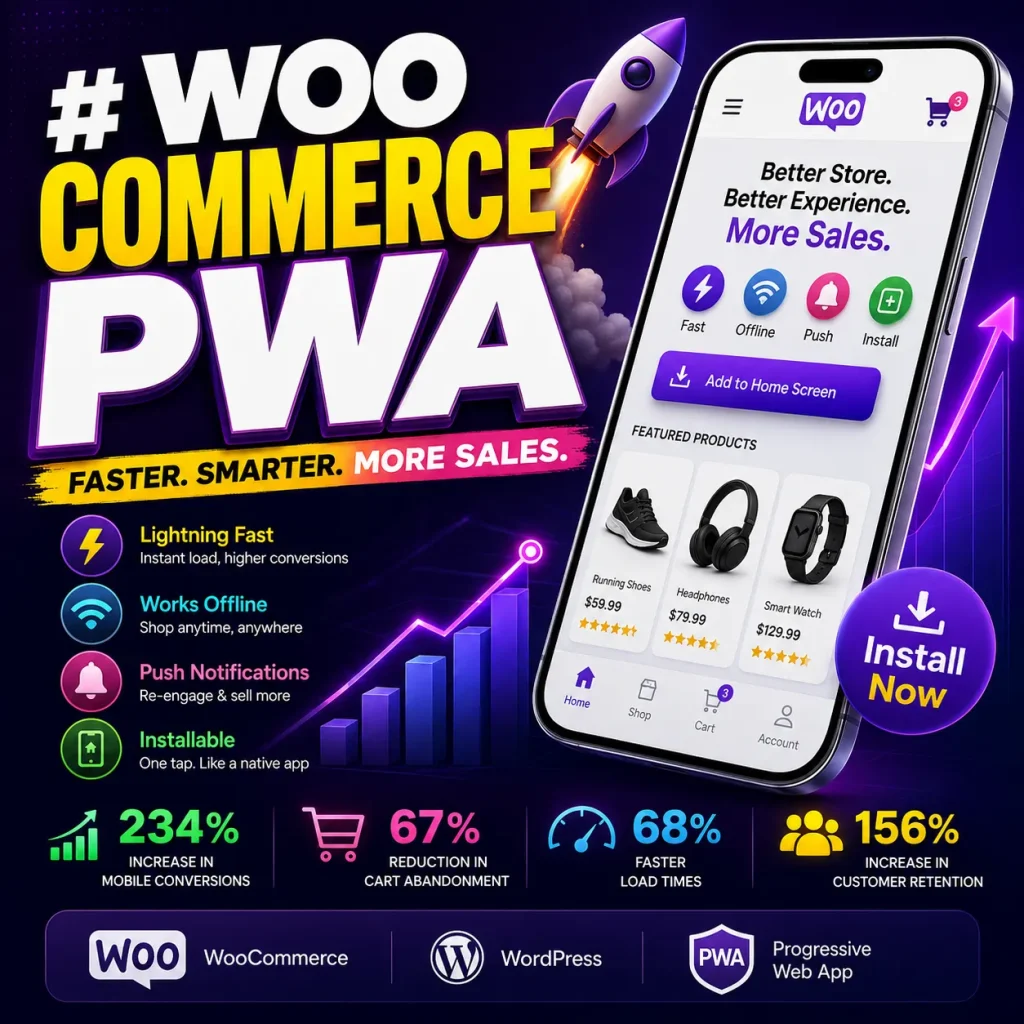
WooCommerce PWA: Turn Your Store Into a Fast, Installable Mobile App
If you run a WooCommerce store, your customers are already shopping from mobile devices. The question is no longer whether your store needs a good mobile experience — it is whether your mobile experience is good enough to turn visitors into customers.
A WooCommerce PWA (Progressive Web App) can transform your existing WooCommerce website into an app-like shopping experience that customers can access directly from their browser and, where supported, install on their device.
A well-built WooCommerce PWA can provide features such as fast loading, app installation, offline capabilities, caching, background synchronization and push notifications without requiring you to build a traditional Android and iOS app from scratch.
In this guide, you will learn what a WooCommerce PWA is, how it works, what features it can provide, how it compares with a native mobile app, how it can improve the mobile shopping experience, and how you can turn a WooCommerce store into a PWA.
What Is a WooCommerce PWA?
A WooCommerce PWA is a Progressive Web App experience built around a WooCommerce store.
Instead of forcing customers to download a large application from an app store, a PWA allows customers to access your store through the web and, depending on browser and device support, install the experience on their home screen.
PWAs combine web technologies with app-like capabilities. Modern browsers support capabilities such as installation and offline functionality, although the exact experience varies between browsers and operating systems.
For a WooCommerce store, this can mean providing a more app-like experience for:
- Product browsing
- Shopping
- Cart access
- Customer accounts
- Order information
- Promotional campaigns
- Push notifications
- Frequently visited pages
- Cached content
- Mobile navigation
The important point is that a PWA does not automatically replace every function of a native application. Instead, it provides a way to make your existing web store more app-like while keeping the website as the core shopping platform.
Why Should You Turn Your WooCommerce Store Into a PWA?
A responsive WooCommerce website is essential, but responsive design and a Progressive Web App are not the same thing.
A responsive website adapts its layout to different screen sizes.
A PWA can add another layer of functionality, including installation, caching, offline capabilities and other app-like features.
For an online store, these capabilities can be especially useful because customers often browse products repeatedly, return to the same pages and shop from mobile devices with different network conditions.
A WooCommerce PWA can help you create a shopping experience that feels closer to an app while keeping your products, checkout and store management within WooCommerce.
WooCommerce PWA Features That Matter for E-Commerce
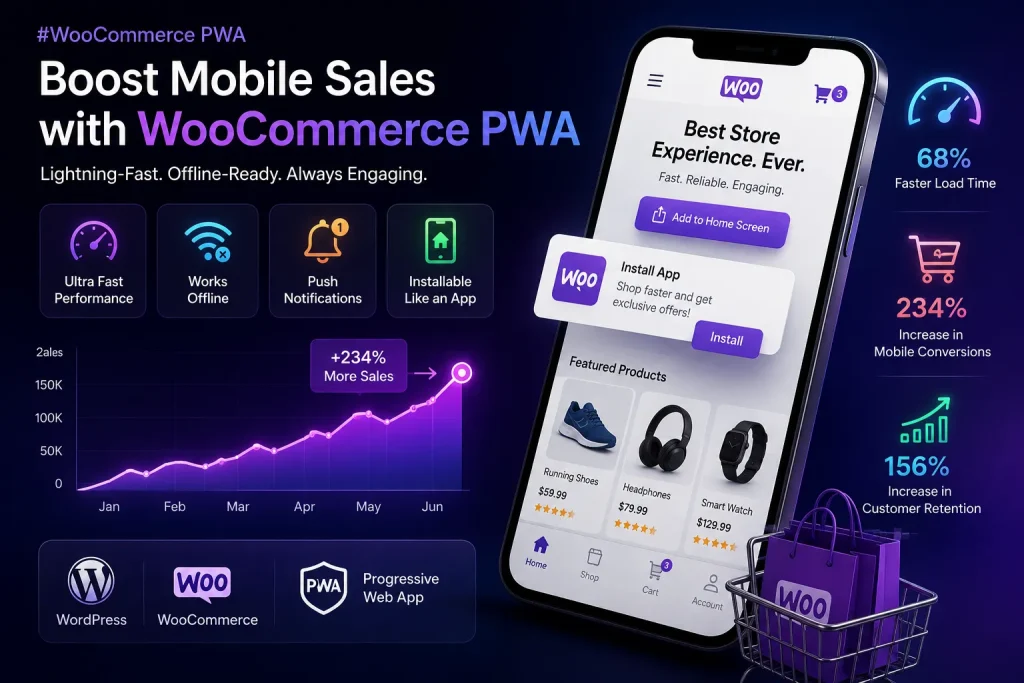
Not every PWA needs the same features. For an online store, however, several capabilities can have a direct impact on the customer experience.
1. Installable WooCommerce Store
One of the biggest advantages of a PWA is that customers can access your store from the browser and, on supported devices and browsers, install it for easier access.
Instead of asking a customer to:
- Search for your app
- Open an app store
- Download a large application
- Wait for installation
- Open the app
the customer can interact with your web store first and then install the PWA when the browser and device support it.
This reduces friction between discovering your store and returning to it.
2. Faster Loading With Smart Caching
Performance matters in e-commerce.
If a visitor clicks a product and has to wait for every page to load from the network, the shopping experience can become frustrating.
A PWA can use caching strategies to make previously requested resources available more quickly.
For a WooCommerce store, caching can be particularly useful for frequently visited pages such as:
- Homepage
- Shop pages
- Product pages
- Categories
- Images
- Static assets
- Frequently accessed customer pages
The exact performance improvement depends on the hosting environment, theme, plugins, images, scripts and PWA implementation. A PWA should therefore be treated as part of a broader performance strategy rather than a guaranteed speed boost.
3. Offline and Low-Connectivity Experiences
One of the most interesting PWA capabilities is the ability to provide useful functionality when the network connection is unavailable or unreliable.
A properly designed PWA can cache selected resources and provide an offline experience instead of simply displaying a browser connection error.
This can be valuable for customers browsing your store while travelling, commuting or using an unreliable mobile connection.
However, offline e-commerce needs careful implementation.
Displaying a cached product page is much simpler than processing a real payment while offline.
For this reason, WooCommerce PWA implementations should clearly distinguish between:
- Offline browsing
- Cached content
- Cart actions
- Background synchronization
- Online checkout
- Payment processing
Your payment gateway and checkout process still need to work according to their own requirements.
4. Push Notifications for WooCommerce
Push notifications can provide another way to bring customers back to your store.
Depending on your implementation and browser support, notifications can be used for campaigns such as:
- New product announcements
- Flash sales
- Special offers
- Back-in-stock alerts
- Order status updates
- Abandoned cart reminders
- Promotional campaigns
The goal should not be to send as many notifications as possible.
The goal is to send useful notifications at the right time.
For example:
Your order has shipped.
is usually more useful than sending customers repeated promotional messages every day.
A PWA can make the mobile shopping experience feel more like an application.
You can design navigation around common mobile shopping actions such as:
- Home
- Shop
- Categories
- Cart
- Account
- Orders
This is particularly useful for returning customers who already know what they want to buy.
A good WooCommerce PWA should make important actions easy to reach with minimal scrolling and unnecessary page transitions.
6. Product Caching
Product pages are among the most important pages in an e-commerce store.
A PWA can cache selected product resources so previously visited products can load more efficiently.
This can be especially useful for customers who repeatedly compare products or browse a collection.
However, product information such as stock, pricing and availability may change.
Therefore, a reliable WooCommerce PWA should use appropriate cache strategies so customers do not unknowingly receive outdated transactional information.
7. Background Synchronization
Background synchronization can allow supported actions or resources to be synchronized when connectivity becomes available again.
This can make a PWA more resilient to temporary network problems.
For example, a customer may continue browsing cached content while temporarily offline and then return to the online experience when the connection is restored.
The exact behavior depends on the PWA architecture and the specific WooCommerce functionality being synchronized.
WooCommerce PWA vs Native Mobile App
Many WooCommerce store owners believe they need a native Android and iOS application to provide an app-like experience.
That is not always the case.
A PWA can be a practical alternative when the main goal is to provide a fast, installable and mobile-friendly shopping experience without maintaining separate native applications.
| Feature | WooCommerce PWA | Native Mobile App |
|---|---|---|
| Works from a browser | Yes | Usually requires app |
| Installable | On supported devices/browsers | Yes |
| App Store required | No for PWA access | Usually yes |
| Separate Android development | Not necessarily | Usually |
| Separate iOS development | Not necessarily | Usually |
| Offline capabilities | Supported with appropriate implementation | Yes |
| Push notifications | Supported with browser/platform limitations | Yes |
| Website SEO | Web pages remain accessible | App discovery is different |
| Updates | Web deployment | App update process |
| Development complexity | Can be lower | Usually higher |
A PWA is not necessarily better than a native app for every business.
If you need advanced device APIs, deep operating-system integration or extensive native functionality, a native application may still be the better solution.
But if your primary objective is:
“I want to turn my WooCommerce store into an app-like mobile experience.”
then a PWA can be a compelling approach.
WooCommerce PWA vs Mobile Website
This is another important distinction.
Mobile Website
A mobile website is a website optimized for smaller screens.
WooCommerce PWA
A WooCommerce PWA can add app-like capabilities such as:
- Installation
- Caching
- Offline experiences
- Background synchronization
- Push notifications
- Standalone app-style launch
That means a PWA is not simply a different mobile design.
It is a set of web capabilities layered onto the website experience.
Can a WooCommerce PWA Improve SEO?
This is where it is important to separate PWA technology from SEO.
Having a PWA does not automatically guarantee higher Google rankings.
Google’s guidance emphasizes helpful, reliable, people-first content, while technical SEO still requires pages to be crawlable, indexable and properly structured.
A PWA can support a better user experience, but your SEO strategy should still focus on:
- High-quality content
- Search intent
- Internal linking
- Crawlable pages
- Indexable content
- Descriptive titles
- Useful headings
- Fast and stable pages
- Good mobile UX
- Structured data where appropriate
- High-quality images
- Relevant backlinks
Google also recommends descriptive and concise page titles and warns against keyword stuffing.
Therefore, the correct approach is:
PWA + Technical SEO + Helpful Content + Strong Internal Linking + Good UX
rather than:
PWA = Higher Google Rankings
WooCommerce PWA and Mobile Conversion
A better mobile experience can have a significant effect on e-commerce performance, but the result will depend on the store.
Real-world PWA case studies show that businesses can achieve substantial improvements after redesigning and optimizing their mobile experiences.
For example, Google published a case study showing that Alibaba.com achieved a 76% increase in conversions across browsers after upgrading its mobile experience with a Progressive Web App.
Jumia reported a 33% increase in conversion rate and a 50% reduction in bounce rate after implementing its PWA experience.
JD.ID reported a 53% increase in overall mobile conversion rate after improving its PWA experience with caching, installation and push notifications.
These are case-study results from specific businesses. They should not be interpreted as guaranteed results for every WooCommerce store.
What they demonstrate is that improving the mobile experience with PWA technologies can have measurable business value when the implementation is well designed.
How to Turn a WooCommerce Store Into a PWA
If you already have a WordPress and WooCommerce store, you do not necessarily need to rebuild your entire e-commerce website.
A typical implementation can involve:
Step 1: Optimize Your WooCommerce Store
Before adding PWA functionality, make sure your website itself is healthy.
Check:
- Hosting performance
- Image sizes
- JavaScript
- CSS
- Third-party scripts
- WooCommerce plugins
- Checkout performance
- Mobile navigation
- Core Web Vitals
A PWA should improve the experience rather than hide underlying performance problems.
Step 2: Add PWA Functionality
A PWA implementation normally includes technologies such as:
- Web App Manifest
- Service Worker
- HTTPS
- Caching strategies
- Installation support
- Appropriate offline handling
The exact architecture depends on how your WooCommerce store is built.
Step 3: Configure Caching
Choose which resources should be cached and how frequently they should be updated.
Static assets and selected content can often be cached more aggressively than dynamic information.
Step 4: Configure Installation
Create a clear installation experience so customers understand the benefit of adding your store to their home screen.
Step 5: Add Push Notifications
If your implementation supports push notifications, use them strategically for useful customer communication and marketing.
Step 6: Test the Store
Test:
- Android
- iPhone
- Different browsers
- Slow networks
- Offline states
- Login
- Cart
- Checkout
- Product pages
- Account pages
- Order information
A PWA should never be considered finished until real shopping flows have been tested.
The Easiest Way to Add a WooCommerce PWA
For store owners who do not want to build and maintain PWA functionality manually, a dedicated WooCommerce PWA plugin can simplify the process.
Instead of developing a service worker, manifest, caching system, installation interface and notification infrastructure from scratch, a plugin can provide these features through the WordPress admin area.
This is particularly useful for WooCommerce store owners who want to focus on:
Products → Customers → Marketing → Sales
rather than:
Service workers → Cache strategies → PWA infrastructure → Browser APIs
The WordPress ecosystem already contains PWA-focused plugins, while dedicated WooCommerce PWA solutions also exist with features such as installation, offline functionality, synchronization and push notifications.
Simple PWA Installer & Notifier for WooCommerce
If you want to add PWA functionality to your existing WordPress and WooCommerce store without building the infrastructure manually, Simple PWA Installer & Notifier is designed to bring the major PWA features together inside WordPress.
The plugin focuses on turning an existing WooCommerce website into a more app-like mobile experience.
Key Features
Lightning-Fast Performance & Smart Caching
Use intelligent caching strategies to make frequently accessed content available faster.
Offline Experience
Allow supported content and previously cached resources to remain accessible when the network connection is unavailable.
Push Notifications
Reconnect with customers through notifications for:
- New products
- Promotions
- Flash sales
- Order updates
- Abandoned carts
- Back-in-stock alerts
WooCommerce Integration
Connect the PWA experience with important WooCommerce functionality such as products, carts and customer order information.
Smart Preloading
Preload selected content so frequently visited pages can feel faster when customers navigate through the store.
Cache Management
Manage PWA caching alongside your existing WordPress caching strategy.
Analytics
Monitor PWA-related activity such as installations, subscribers and notification performance.
Backup & Restore
Keep a backup of important plugin settings so you can restore your configuration when necessary.
Who Should Use a WooCommerce PWA?
A WooCommerce PWA can be particularly useful for:
E-Commerce Store Owners
If most of your customers shop from mobile devices, an app-like experience can make it easier for returning customers to access your store.
Online Retailers
Product catalogs with frequent returning visitors can benefit from caching, installation and re-engagement features.
Brands Running Flash Sales
Push notifications can help you communicate time-sensitive promotions to customers who have opted in.
Stores With Repeat Customers
The ability to install a store and access it quickly can be valuable for businesses that rely on repeat purchases.
Agencies
Agencies can use a WooCommerce PWA solution as part of their mobile optimization and e-commerce services.
Does a WooCommerce PWA Replace the WooCommerce Mobile App?
Not necessarily.
WooCommerce itself provides an official mobile app for store management, including features for managing products, orders and other store operations.
A WooCommerce PWA for customers is a different concept.
The PWA is primarily about the customer-facing shopping experience.
The Woo mobile app is primarily a tool for merchants to manage their WooCommerce store.
So if you are looking for a way to provide your customers with an installable, app-like shopping experience, a customer-facing WooCommerce PWA addresses a different problem.
How a WooCommerce PWA Can Help Create Repeat Customers
Getting a customer to visit your store once is only the beginning.
The real challenge for many e-commerce businesses is getting customers to come back.
A PWA can contribute to this strategy through:
Installability
Customers can keep your store easily accessible on supported devices.
Push Notifications
You can communicate with opted-in customers about relevant products, promotions and updates.
Faster Repeat Visits
Cached resources can make frequently visited content feel faster.
App-Like Experience
A standalone launch experience can make your store feel more like a dedicated application.
Together, these features can create a more convenient environment for repeat shopping.
WooCommerce PWA Best Practices
If you decide to implement a PWA, keep these principles in mind.
Don’t Cache Everything
Caching dynamic e-commerce data incorrectly can create serious problems.
Don’t Promise Offline Checkout Without Testing
Payments, authentication and third-party services may require a live connection.
Keep SEO and PWA Architecture Separate
Your important product and category content should remain accessible to search engines.
Optimize Images
Images are extremely important for e-commerce and also matter for Google Image Search. Google recommends descriptive filenames, titles and alt text and recommends placing images near relevant content.
Don’t Spam Push Notifications
Customers should receive useful information, not constant advertising.
Test Every Device
PWA installation and capabilities differ between browsers and operating systems. For example, web.dev documents differences between iOS, Android and desktop browser support.
Frequently Asked Questions About WooCommerce PWA
What is a WooCommerce PWA?
A WooCommerce PWA is a Progressive Web App experience built around a WooCommerce store. It can provide app-like capabilities such as installation, caching, offline experiences and push notifications depending on implementation and browser support.
Can I turn my WooCommerce website into an app?
Yes. A WooCommerce website can be enhanced with PWA functionality to provide an installable, app-like experience without necessarily developing separate native Android and iOS applications.
Is WooCommerce PWA better than a native app?
It depends on your requirements. A PWA can be simpler to deploy and maintain because it is web-based, while a native app may be better when you need deep operating-system integration or advanced native features.
Does WooCommerce PWA work offline?
A PWA can provide offline functionality through service workers and caching. However, not every WooCommerce feature should be expected to work fully offline. Dynamic functions such as payment processing normally require an online connection.
Can WooCommerce PWA send push notifications?
Yes, push notifications can be part of a PWA implementation where supported. They can be used for promotions, product announcements, order updates and customer re-engagement.
Does a WooCommerce PWA improve Google rankings?
Not automatically. PWA technology does not guarantee higher rankings. SEO still depends on content quality, crawlability, indexability, relevance, technical SEO and overall user experience.
Do I need coding skills to create a WooCommerce PWA?
Not necessarily. A dedicated WooCommerce PWA plugin can simplify implementation for store owners who do not want to build PWA infrastructure manually.
Can a WooCommerce PWA be installed on iPhone?
PWA installation is supported on iOS and iPadOS, although the exact installation and feature experience depends on the operating system, browser and implementation.
Final Thoughts: Is WooCommerce PWA Worth It?
If your WooCommerce store receives significant mobile traffic, improving the mobile shopping experience should be a serious priority.
A WooCommerce PWA can combine the reach of the web with selected advantages of an app-like experience:
- Installable shopping experience
- Faster access to frequently used content
- Offline and low-connectivity capabilities
- Push notifications
- Mobile-first navigation
- Smart caching
- Better customer re-engagement
Real-world e-commerce case studies from companies such as Alibaba, Jumia and JD.ID demonstrate that well-designed PWA implementations can produce meaningful improvements in mobile engagement and conversion.
But the technology alone is not enough.
The best results come from combining a PWA with:
Fast hosting + optimized WooCommerce + excellent mobile UX + useful content + technical SEO + smart marketing.
If you want to turn your existing WooCommerce store into an installable, app-like experience without building a complete native application from scratch, a WooCommerce PWA plugin can be one of the simplest places to start.
Ready to Turn Your WooCommerce Store Into a PWA?
Install Simple PWA Installer & Notifier and start building a faster, more engaging and app-like shopping experience for your WooCommerce customers.
Turn your WooCommerce store into a Progressive Web App — without building a native app from scratch.

Virtual Try-On Plugin for WooCommerce — No AI Required A lightweight, privacy-first virtual fitting room for your clothing store. No AI API. No monthly credits. No photo uploads to your server. Fitoria lets shoppers preview garment layers on demo body images, click to select and reposition clothing, and explore coordinated outfits before they buy—all inside [...]
Virtual Try-On for WooCommerce: Let Customers Try On Glasses Online Before They Buy Turn Your WooCommerce Store Into an Interactive Eyewear Shopping Experience Online eyewear shoppers face one persistent question before every purchase: “Will these glasses suit me?” Product photos show the frame, but they cannot show how that frame will look on a customer’s [...]
Gift Note & Music for WooCommerce – Personalized Gift Cards with Music & QR Code Best WooCommerce Gift Plugin Gift Note & Music for WooCommerce is a powerful WooCommerce gift message plugin that lets your customers add a personal note, choose a song, and design their own gift card. It turns an ordinary gift purchase [...]
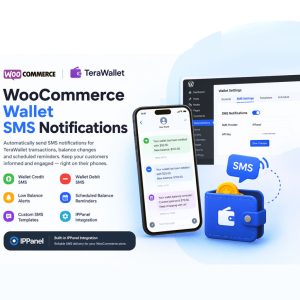
WooCommerce Wallet SMS Notifications for TeraWallet Give your customers a faster and more convenient way to stay informed about their wallet activity with WooCommerce Wallet SMS Notifications. This lightweight SMS add-on is designed for WooCommerce stores that use TeraWallet / Woo Wallet and want to send automatic SMS notifications when a customer’s wallet balance changes. [...]
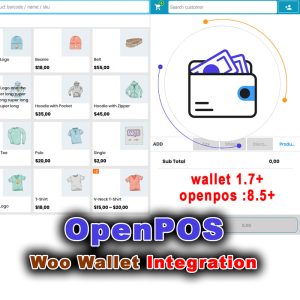
OpenPOS – Woo Wallet Integration OpenPOS Wallet – WooCommerce Wallet Payments at the Point of Sale Bring your WooCommerce wallet to the counter. Accept wallet payments in OpenPOS. Deduct balances automatically. Print wallet-ready invoices. Refund to wallet. Stop Selling Online Only If you run a WooCommerce store with OpenPOS as your point-of-sale system, you already [...]
https://up-woo.com/?p=1266Copy LinkShare
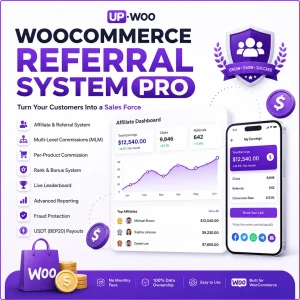
WooCommerce Referral System Pro – The Ultimate Affiliate & Referral Engine for WooCommerce Turn your customers into a sales force. Turn your store into a revenue machine. What Store Owners Are Actually Searching For After analyzing what store owners look for in referral and affiliate solutions, one thing becomes crystal clear: they don’t want complexity. [...]
https://up-woo.com/?p=925Copy LinkShare