 Start Earning
Allow Customers to Modify WooCommerce Orders Post-Purchase

Allow Customers to Modify WooCommerce Orders Post-Purchase
Why WooCommerce Stores Lose Revenue After Checkout
Every WooCommerce store owner focuses heavily on increasing conversions before a customer completes a purchase. However, one of the biggest missed revenue opportunities happens immediately after checkout.
Imagine this common scenario:
A customer places an order, completes payment, and then realizes they forgot to add another product. Maybe it’s an accessory, an additional item, or a complementary product they suddenly remember needing.
What happens next?
In most WooCommerce stores, the customer must:
- Contact support
- Send an email
- Place a completely new order
- Pay shipping again
- Wait for manual assistance
This creates friction, frustration, and often causes the customer to abandon the additional purchase altogether.
As a result, store owners lose potential revenue every single day.
By default, WooCommerce does not allow customers to modify completed orders.
Once an order is placed, customers cannot:
- Add products to the same shipment
- Merge purchases
- Benefit from previously paid shipping costs
- Easily increase their order value
This limitation affects stores of all sizes.
Whether you sell physical products, digital goods, electronics, clothing, cosmetics, pet supplies, or home accessories, customers frequently remember additional items after checkout.
Without a seamless solution, those extra sales are often lost.
Why Customers Want to Add Products After Checkout
Consumer behavior studies consistently show that buyers often make purchase decisions after completing an order.
Some common reasons include:
Forgotten Products
Customers realize they forgot an important item immediately after purchasing.
Cross-Sell Opportunities
After checkout, customers continue browsing and discover products that complement their original purchase.
Family or Team Requests
A customer places an order and shortly afterward receives a request from a family member, colleague, or friend to add another item.
Better Shopping Experience
Customers appreciate flexibility and convenience.
Giving customers control over their orders increases satisfaction and loyalty.
Traditional Solutions and Their Problems
Many store owners attempt to solve this issue manually.
Customer Support Requests
Customers email support asking to add products.
Problems:
- Time consuming
- Delays order processing
- Creates additional workload
- Higher risk of mistakes
Creating a New Order
Customers place another order.
Problems:
- Additional shipping fees
- Multiple packages
- Lower customer satisfaction
Manual Order Editing
Store administrators modify orders manually.
Problems:
- Requires staff intervention
- Not scalable
- Increases operational costs
Clearly, these methods are inefficient.
The Smart Solution: Allow Customers to Modify WooCommerce Orders Post-Purchase
Modern eCommerce stores need automation.
Instead of forcing customers to contact support, stores should allow them to add products directly to their existing orders during a configurable time window.
This creates a seamless shopping experience while increasing average order value.
Benefits include:
- Higher revenue per customer
- Better user experience
- Reduced support tickets
- Increased customer satisfaction
- Improved order management
Key Features Every Post-Purchase Order Modification System Should Have
When choosing a solution, store owners should look for advanced functionality that goes beyond simple order editing.
Product Addition to Existing Orders
Customers can automatically add new products to a previously placed order without creating separate shipments.
Configurable Countdown Timer
Store owners can define exactly how long customers are allowed to add products after checkout.
This creates urgency while maintaining operational efficiency.
Automatic Shipping Cost Deduction
One of the most powerful features.
If shipping has already been paid or free shipping conditions are met, customers should not pay shipping twice.
The system automatically calculates and deducts the previous shipping cost.
Automatic One-Time Discount Coupons
Reward customers for increasing their order value.
Generate unique discount coupons automatically after qualifying purchases.
Custom Order Statuses
Create advanced order workflows such as:
- Ready for Shipping
- Awaiting Confirmation
- Ready for Product Addition
- Processing Additional Items
Custom statuses improve order visibility and workflow management.
SMS Notifications
Inform customers that they still have time to add products to their order.
This simple reminder can significantly increase additional purchases.
Manual Order Activation
Administrators can manually reopen order modification functionality for specific customers whenever needed.
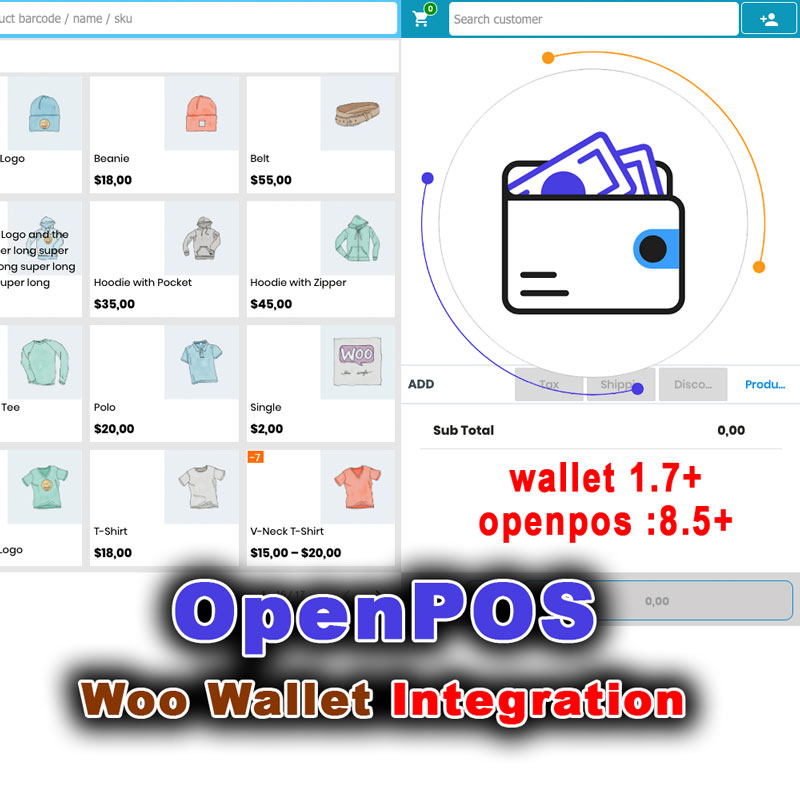
Wallet Support
Customers can pay for additional products using wallet balance, creating a smoother checkout experience.
Advanced Thank You Page Builder
A customizable drag-and-drop Thank You page can dramatically improve post-purchase engagement.
Features may include:
- Countdown timers
- Discount offers
- Wallet integration
- Custom buttons
- Promotional messages
- Upsell opportunities
How Post-Purchase Product Addition Increases Average Order Value
Average Order Value (AOV) is one of the most important metrics in eCommerce.
Even a small increase in AOV can generate significant revenue growth without acquiring additional customers.
When customers can easily add products after checkout:
- Impulse purchases increase
- Cross-sells perform better
- Shipping objections disappear
- Customer convenience improves
The result is higher revenue from existing traffic.
Improve Customer Experience Without Extra Work
Store owners often spend thousands of dollars acquiring new visitors.
Yet many overlook opportunities to maximize revenue from customers who have already purchased.
Allowing customers to modify orders after checkout creates a frictionless buying experience that customers appreciate.
Instead of contacting support, waiting for responses, or placing another order, they simply add products and continue shopping.
This level of convenience can become a significant competitive advantage.
Introducing the World’s First Complete WooCommerce Post-Purchase Order Extension
If you’re looking for a comprehensive solution that allows customers to add products to existing WooCommerce orders, this plugin was specifically developed to solve that challenge.
Unlike traditional WooCommerce workflows, it gives customers the ability to continue shopping after checkout while keeping everything connected to their original order.
Unique Features
✔ Add products to existing orders
✔ Configurable countdown timer
✔ Automatic shipping cost deduction
✔ One-time discount coupon generation
✔ Custom order statuses
✔ SMS notifications
✔ Manual order activation
✔ Wallet support
✔ Advanced drag-and-drop Thank You page builder
✔ Responsive design
✔ WooCommerce integration
Try It Free for 3 Days
The best way to understand the power of post-purchase order modification is to experience it yourself.
You can test the plugin completely free for 3 days and see how it impacts customer behavior, average order value, and overall shopping experience.
No complicated setup.
No risky commitment.
Simply install it and discover how much additional revenue your store may be missing.
Limited-Time Discount Available
For a limited time, you can get access to this powerful WooCommerce extension at a special discounted price.
If your store receives regular orders, even a small increase in average order value can quickly cover the investment.
Many store owners focus on attracting more visitors.
Smart store owners focus on earning more from customers they already have.
Final Thoughts
Allowing customers to modify WooCommerce orders after purchase is no longer a luxury feature.
It’s an effective strategy for increasing revenue, improving customer satisfaction, and reducing support workload.
By removing the barriers that prevent customers from adding forgotten items, you create a smoother buying journey and unlock additional sales opportunities that would otherwise be lost.
If you’re ready to transform the post-purchase experience, increase order values, and offer something most WooCommerce stores simply cannot, start with the free 3-day trial today and experience the difference for yourself.
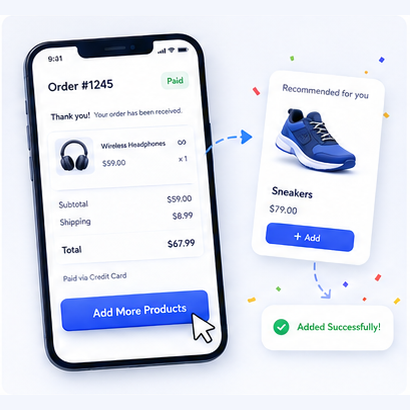
Add to Order – Let Customers Add Products After Placing Order in WooCommerce
Original price was: 82 $.40 $Current price is: 40 $.